Opus Clip made AI clipping popular, and there are now many tools that turn a long video into short clips. They look alike on a pricing page and behave very differently on your own footage. If you are comparing Opus Clip alternatives, these are the questions that separate them.
Before you compare: decide what you need
The best tool for a solo podcaster is not the best tool for an agency with twenty clients. Write down three things before you open a single pricing page: how many hours you record each month, how many people will work on the clips, and where the clips will be posted. Those three answers remove half of the options and make the rest easy to compare.
1. Are the clips complete thoughts?
The most common complaint about AI clips is that they start mid-sentence or stop before the point lands. Test every tool with the same long video and read the first and last sentence of each clip. A good clipper starts where the idea starts and ends where it ends.
2. Can you see why a clip was picked?
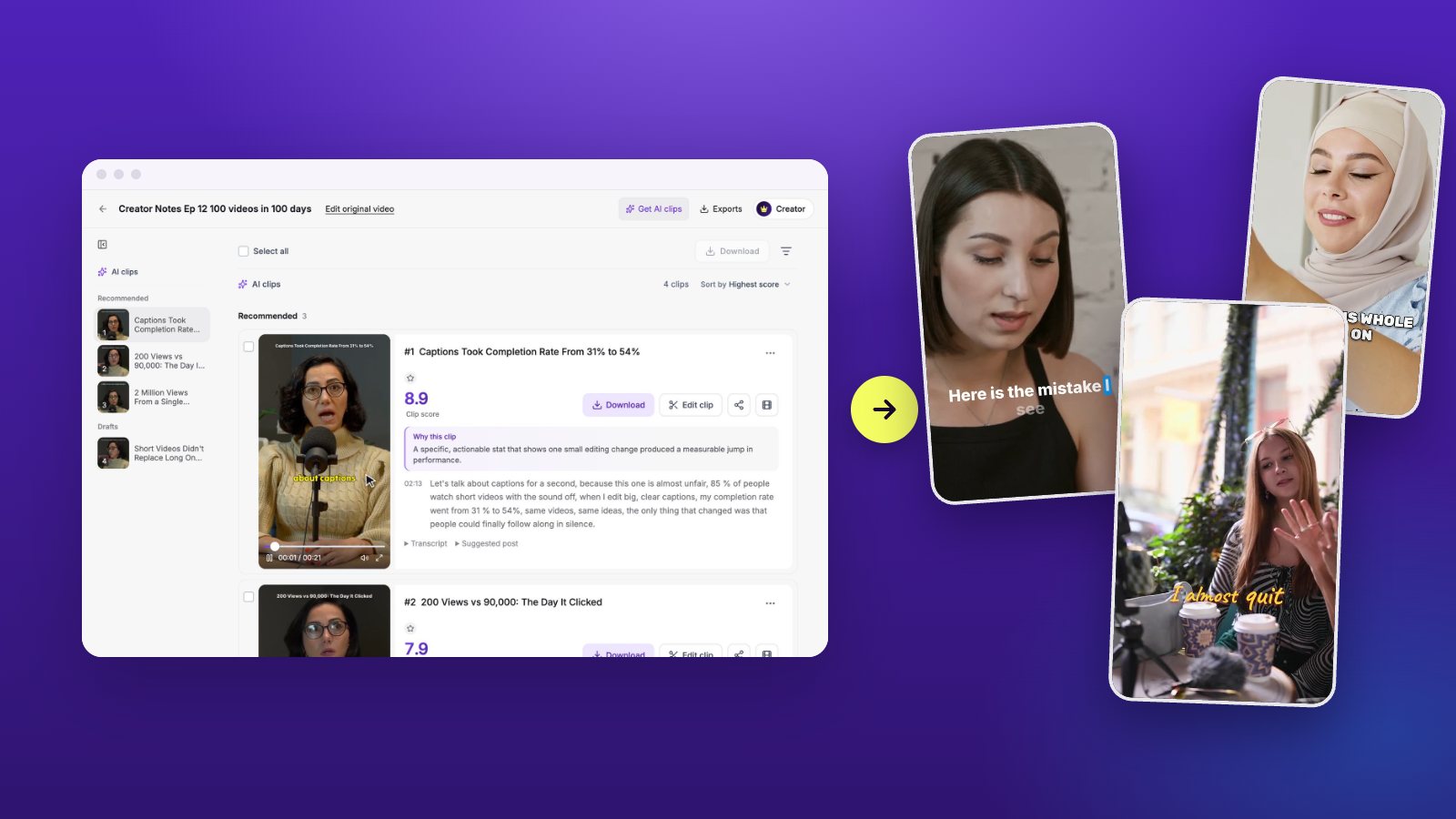
A score with no explanation is hard to trust. Look for a tool that tells you what it saw: a strong hook, a clear takeaway, a story with an ending. In Vidoveli, recommended clips carry a score and every clip has a written reason. Moments that did not make the cut are kept as drafts with the reason they were held back, instead of being given a flattering number.
3. How much can you change afterwards?
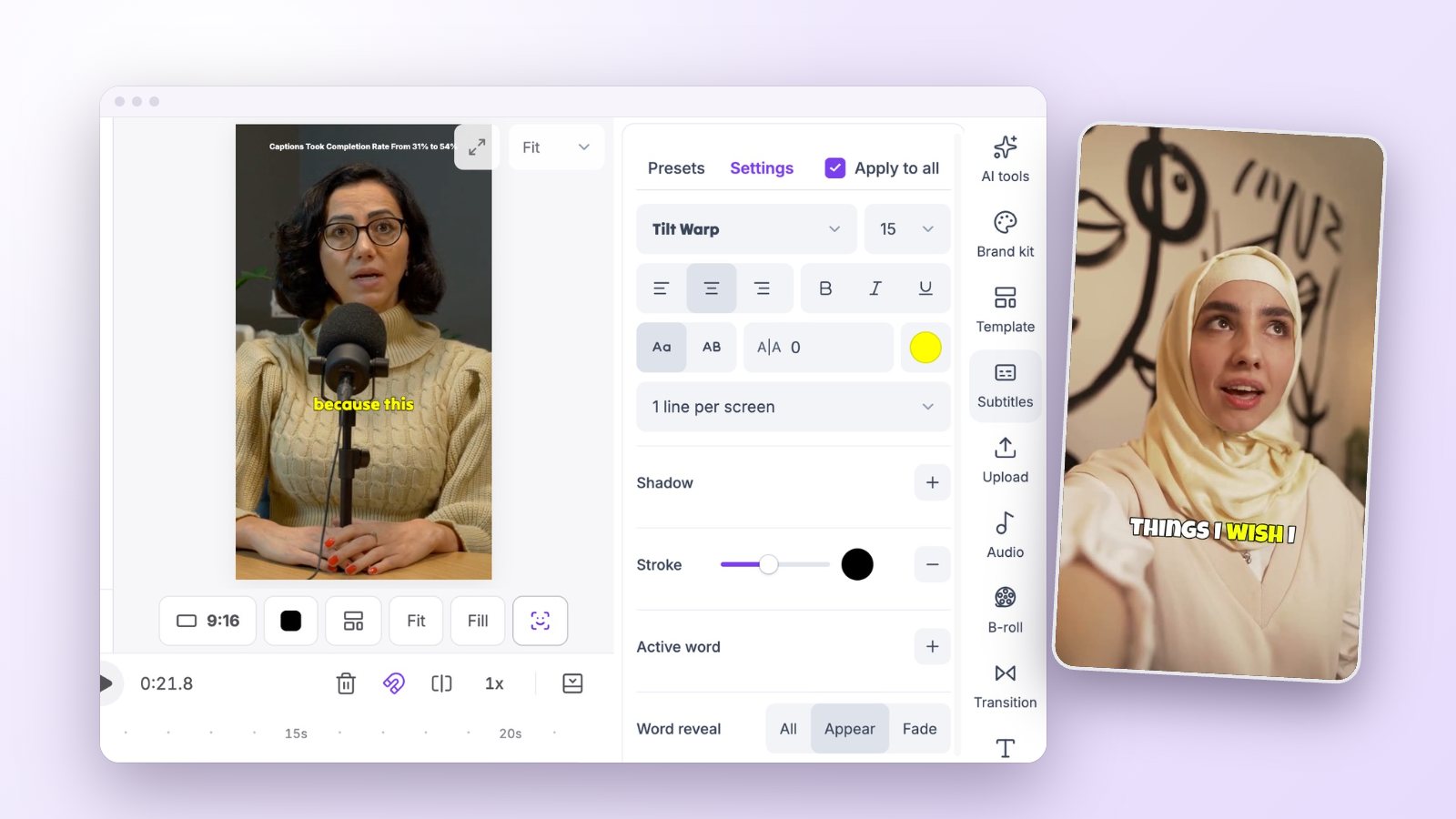
AI gets you a first draft. You will still want to move a start point, fix a caption, or swap a shot. Check whether the tool gives you a real editor or only a few toggles.
- Can you extend a clip beyond what the AI chose, using the full transcript?
- Can you delete words in the transcript and have the video follow?
- Is there a timeline for text, B-roll, music and transitions?
4. Do the captions hold up?
Captions carry most short videos. Compare accuracy on names and numbers, the range of styles, and whether you can translate captions or show two languages at once. Also check how easy it is to correct a single word.
5. Does reframing follow the speaker?
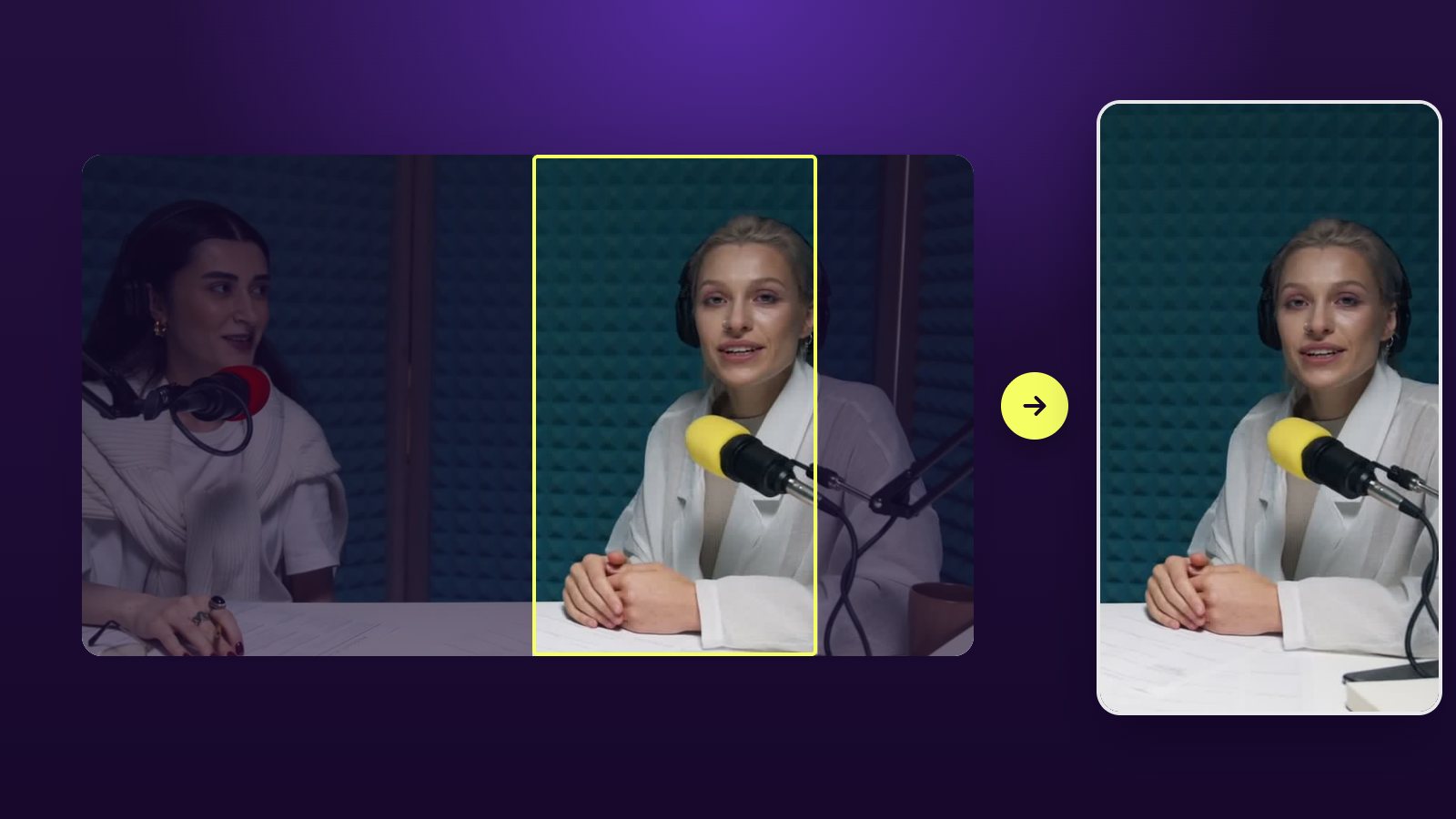
Turning 16:9 into 9:16 is simple with one person and hard with two. Watch a clip with a conversation in it. The frame should move to whoever is talking, without cutting people in half.
6. What does a credit buy?
Most clipping tools charge by minutes of source video. Work out your monthly recording time, then compare what each plan covers. Check whether exports carry a watermark on the free plan and what resolution you get.
Vidoveli’s Free plan includes 60 credits a month, one credit per minute of video, with the full editor and 720p export.
7. How do you get the clip out?
Some tools publish straight to social accounts, some give you a file and a share link. Publishing from the tool saves time if you post daily. A clean MP4 and good post text are enough if you already use a scheduler.
8. Does it work in your language and your field?
Most tools are tuned on English talk shows. If you record in another language, or your field is full of product names and technical terms, test with your own material. Check the transcript first, because every later step depends on it: a clip chosen from a wrong transcript is chosen for the wrong reason.
Vidoveli transcribes and captions in 40 languages with automatic language detection, and you can tell the AI what to look for in your own words, such as “the parts about pricing” or “funny stories about clients”.
9. What happens to your footage?
You are uploading unreleased episodes, client calls and customer stories. Read what each tool does with them.
- Who can see a project? Clips should be private until you choose to share a link.
- Is your footage used to train AI models? The answer should be a plain no.
- Can you delete a project and its files for good?
- Is there a privacy policy you can read in five minutes?
A fair test you can run in half an hour
Feature lists will not settle this. A side-by-side test will, and it costs nothing because nearly every tool has a free plan.
- Pick one recording of 20 to 40 minutes with at least two speakers.
- Run it through each tool with default settings.
- For each tool, open the top three clips. Note whether they start and end cleanly, and whether you would post them.
- Try one fix in each: move a start point, correct a caption, change the ratio.
- Export one clip and watch it on your phone, with the sound off and then on.
The short version
Run the same recording through two or three tools and judge the clips, not the feature list. If you want an Opus Clip alternative that explains its picks and gives you a full video editor behind every clip, try Vidoveli on your next long video. It is free to start.