

The Opus Clip alternative that shows its reasoning
If you have used Opus Clip, Vidoveli will feel familiar: bring a long video, get scored clips. The difference is in what you can see, and in what you can change afterwards.
YouTube, Google Drive™, Dropbox or MP4/MOV/WebM links, or a file upload · up to 2 hours · 60 free credits a month
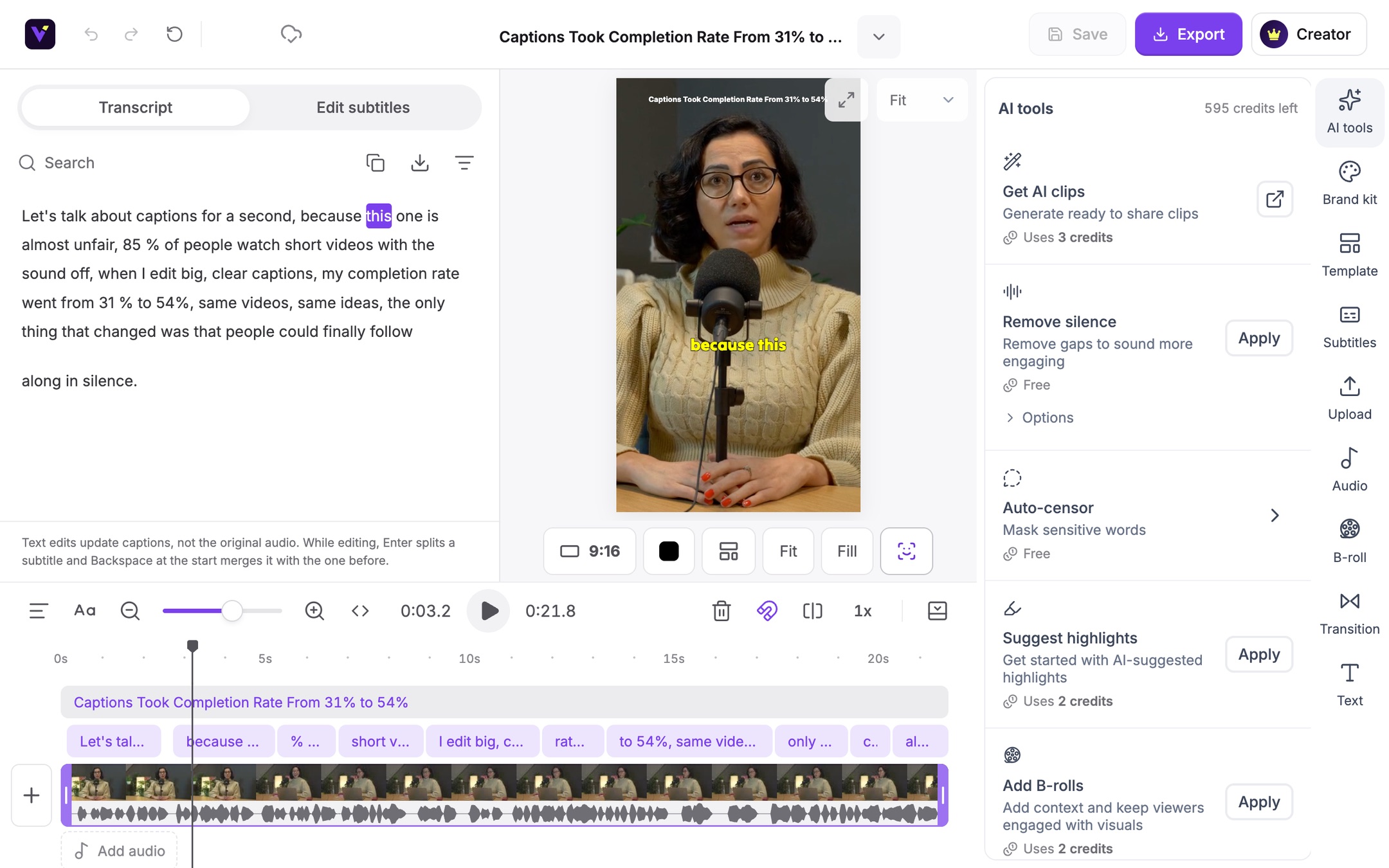
What it is
What to expect when you switch
Opus Clip made AI clipping popular, and most tools in the category now cover the basics: find moments in a long video, reframe them to vertical and add captions. On your own footage they behave quite differently, so the fairest comparison is to run the same video through both.
Vidoveli is built around a simple idea: you should be able to see why a clip was chosen, and fix it without starting over. Recommended clips show a score and a written reason. Weaker moments stay as drafts with their reason, never with an inflated number. Any clip’s start and end can move one word at a time against the full transcript, and every clip opens in a full video editor with a timeline.
This page sticks to what Vidoveli does, because features and prices on other products change. For a checklist you can apply to any tool, read what to look for in an Opus Clip alternative.
A reason for every pick
Recommended clips show their score and why they were chosen, so reviewing takes minutes.
Word-by-word trimming
Move a clip’s start or end against the whole transcript, one word at a time.
A full editor behind each clip
Edit by text, timeline, captions, B-roll, transitions and layouts in one place.
Links or uploads
YouTube, Google Drive and Dropbox links, direct MP4, MOV and WebM links, or file uploads, up to two hours.
Captions in 40 languages
Animated captions with translation and bilingual subtitles.
Free to start
60 credits every month on the Free plan, with no card needed.
How it works
How to use the Opus Clip Alternative
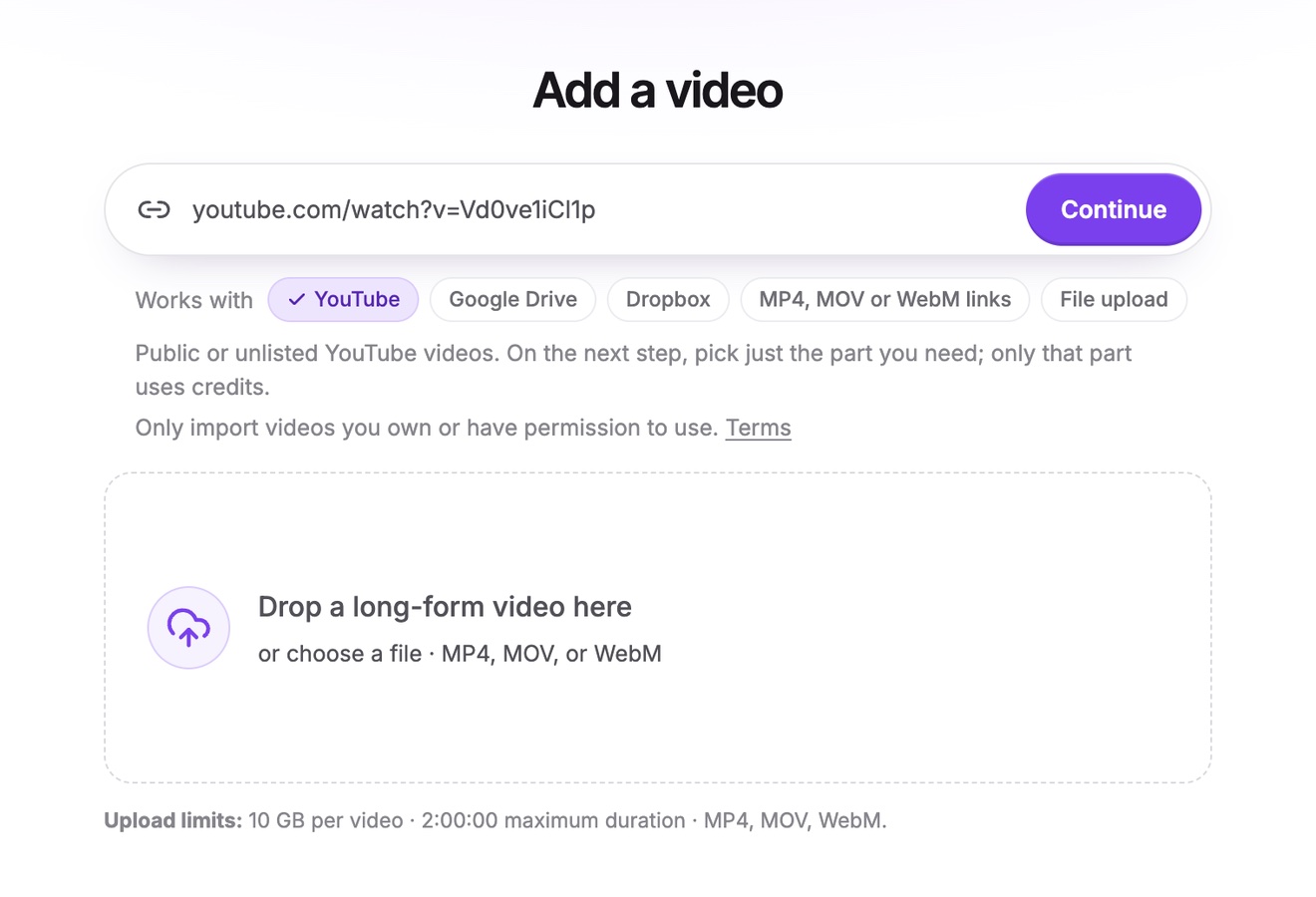
Pick a video you know
Choose a recent video you know well, so you can judge the clips. A podcast or interview of 20 to 60 minutes is ideal.
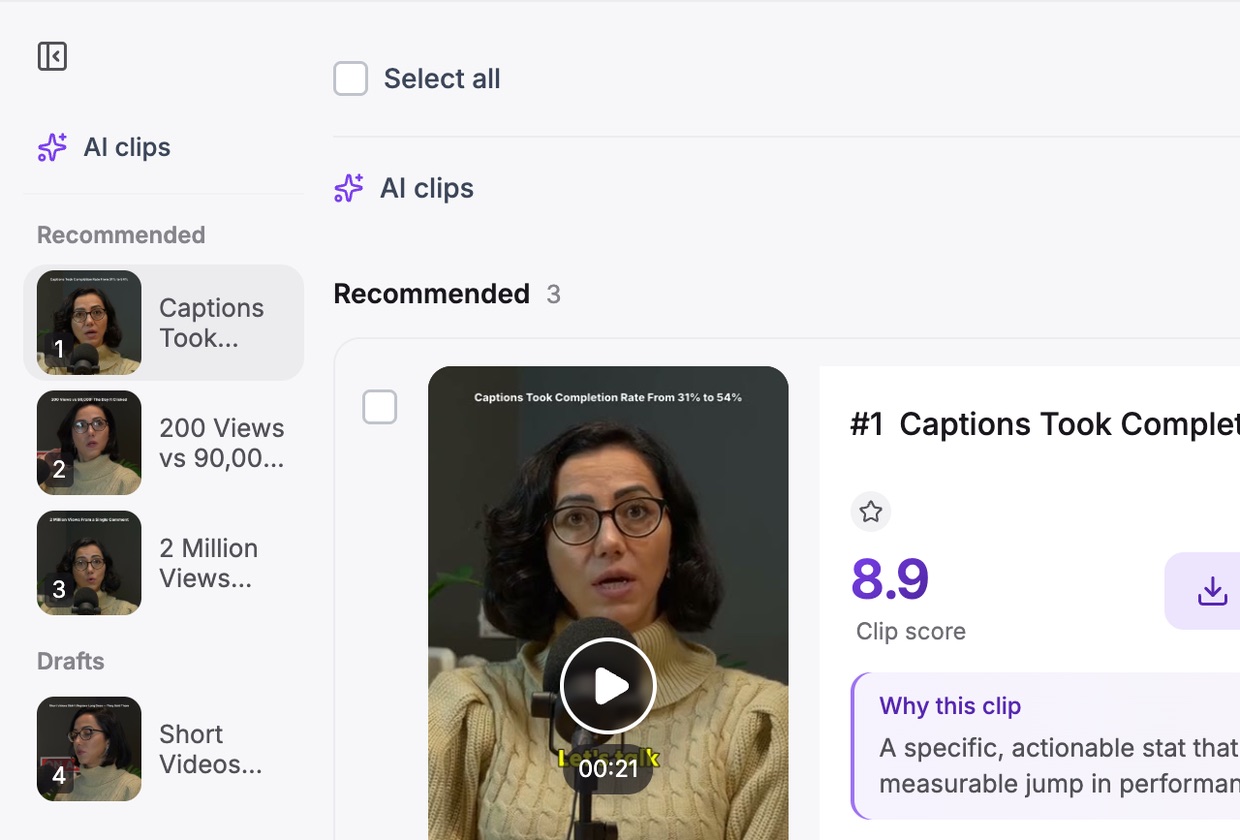
Run it through Vidoveli
Paste the link or upload the file and get AI clips with the clip length you use today.
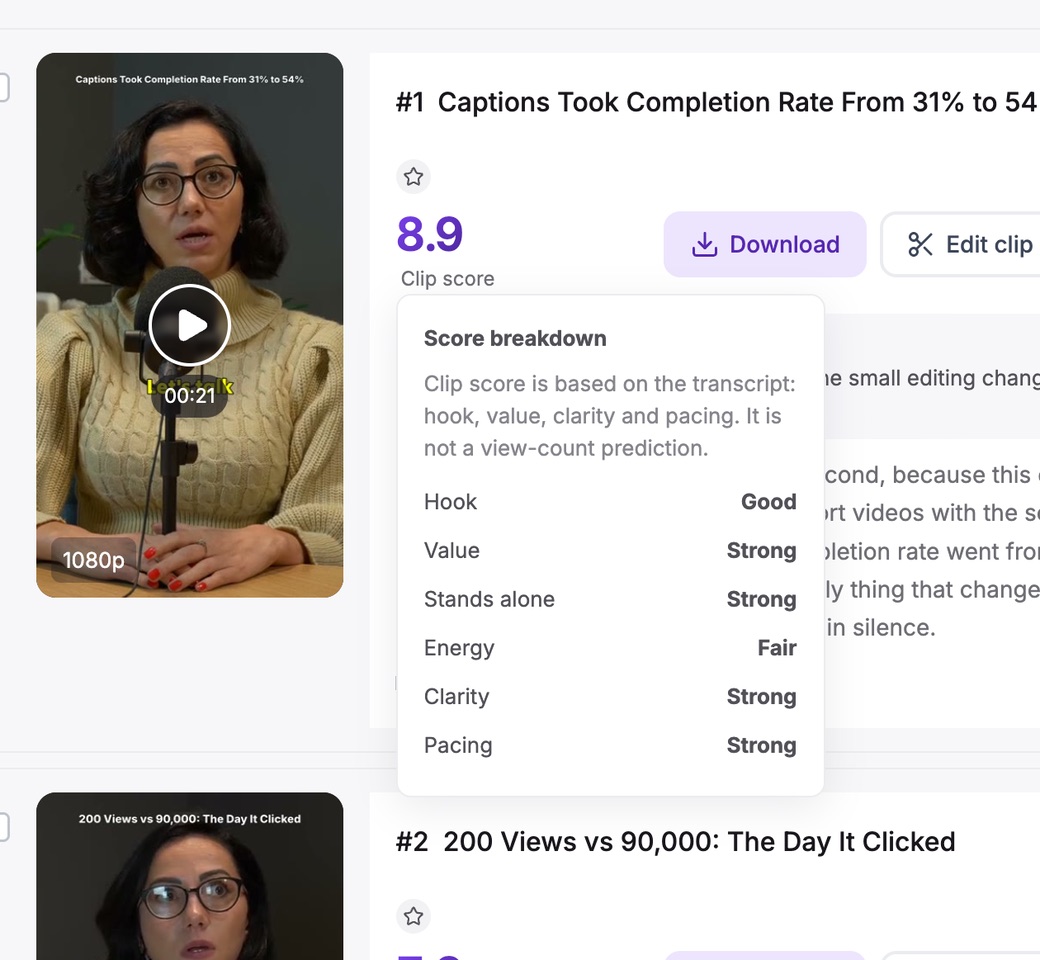
Compare clips, not claims
Count the clips you would post unchanged, and time how long the rest take to fix. That is the number that matters.
Who it’s for
Who switches to Vidoveli
Creators who review every clip
A written reason makes it faster to say yes or no.
Podcasters with long episodes
Up to two hours per video, every speaker kept in frame.
Editors who want control
A timeline and edit-by-text behind every clip.
Anyone watching costs
Credits are charged per minute of video, not per clip.
Be fair to both
Run a fair test in half an hour
Product pages all look alike. Your own footage will tell you more than any comparison table.
- Same video, same settingsUse one video and the same clip length in both tools.
- Judge the first three secondsDoes each clip open on a line that makes sense without context?
- Check the endingsClips that stop mid-thought cost you fixing time.
- Time the fixesNote how long it takes to get three clips ready to post.
FAQ
Questions about the Opus Clip Alternative
Is Vidoveli a good Opus Clip alternative?
Yes, if you want to see why each clip was chosen and keep control of the edit. Like Opus Clip, Vidoveli turns one long video into many short clips with captions and reframing. Every pick comes with a written reason, you can move a clip’s start and end word by word, and a full timeline editor is part of the same workspace.
Is there a free alternative to Opus Clip?
Vidoveli has a Free plan with 60 credits every month, which covers 60 minutes of video, with AI clips, captions and the full editor. Free exports are 720p with a small watermark, and no card is needed.
Can I move my Opus Clip projects to Vidoveli?
Projects cannot be imported, but you can bring the same source videos: paste their YouTube, Google Drive or Dropbox links or direct MP4, MOV or WebM links, or upload the files, and Vidoveli finds the clips again.
Does Vidoveli have a virality score?
Not in the sense of predicting views. Recommended clips get a score based on six things viewers notice: the hook, the payoff, whether the clip stands alone, the energy of the delivery, clarity and pace. Each score comes with a reason. Nobody can promise views, and we do not try.
Does Vidoveli publish to social media?
Not yet. You download the MP4s or share a link, with post text written for each platform. Direct publishing and scheduling are in development.
What does Vidoveli cost after the Free plan?
Creator and Business plans are priced by the number of credits you need each month, with a lower price for yearly billing. The pricing page has the current prices.
Keep going
Related tools and guides
Video to Shorts Converter
Turn any long video into short vertical clips for every feed.
See how it worksPodcast Clip Maker
Every episode cut into captioned clips, with each speaker in frame.
See how it worksYouTube Shorts Maker
Paste a YouTube link and get Shorts cut from its best moments.
See how it works
 Comparisons
Opus Clip alternatives: what to look for in an AI clipping tool
Comparing Opus Clip alternatives? Nine questions to judge any AI video clipping tool: clip quality, scoring, editing, captions, reframing, price and privacy.
 Guides
How to turn a long video into short clips without re-watching it
A step-by-step way to cut podcasts, interviews and webinars into short clips with a video clipping tool, from picking moments to captions and export.
 Guides
AI video editing, explained: what it automates and what still needs you
What AI video editing does today: finding highlights, captions, reframing, silence removal and B-roll. And the editing decisions an AI video editor should leave to you.



Try it on a video
you know well
Bring a video you have clipped before and compare the results. Free to start, no card needed.