A one-hour recording usually holds five to fifteen moments that work on their own. The slow part was never the cutting. It is finding those moments, and then making each one readable with the sound off. Here is the process we recommend, whether you use a video clipping tool or do it by hand.
Start from the transcript, not the timeline
Scrubbing through a timeline makes you watch the whole recording again. Reading is about twice as fast as listening, and skimming is faster still, so a transcript lets you scan an hour of talk in fifteen to twenty minutes.
Look for places where the speaker answers a question, tells a short story, gives a number, or disagrees with something common. Those are the moments viewers stop for. Mark each one with a rough start and end.
What makes a moment worth clipping
Not every good sentence is a good clip. The moments that travel tend to have a shape you can spot in the transcript without hearing a word.
- A claim followed by a reason: “Most intros are too long, and here is what happens when you cut them.”
- A specific number or result. “It got 200 views” is easier to remember than “it did badly”.
- A before and after, or a mistake and what it taught the speaker.
- A question the audience asks all the time, answered in one go.
- A disagreement with common advice. People stop for “everyone says X, I think that is wrong”.
Check that each moment stands alone
A clip fails when it needs the previous ten minutes to make sense. Before you cut, read the moment as if you had never seen the full video.
- Does the first sentence say what this is about? If it opens with “and that is why”, move the start earlier.
- Does it end on a finished thought? Cutting one sentence late is better than cutting one word early.
- Is there one idea? Two ideas are two clips.
Fix the first sentence
People decide in the first two or three seconds whether to keep watching, so the opening line matters more than anything after it. Spoken answers usually start with a wind-up: “Yeah, so, that is a great question, I think…”. Cut it.
Move the start to the first sentence that carries meaning. If the best line comes in the middle of the answer, try starting there and letting the explanation follow. A clip that opens on its conclusion and then earns it is a pattern that works again and again.
Keep clips as short as the idea allows
Most single ideas fit in 20 to 60 seconds. Tighten the clip by removing long pauses and false starts, not by speeding it up. If a story needs 90 seconds, give it 90 seconds; a complete story holds attention better than a rushed one.
Reframe for the feed
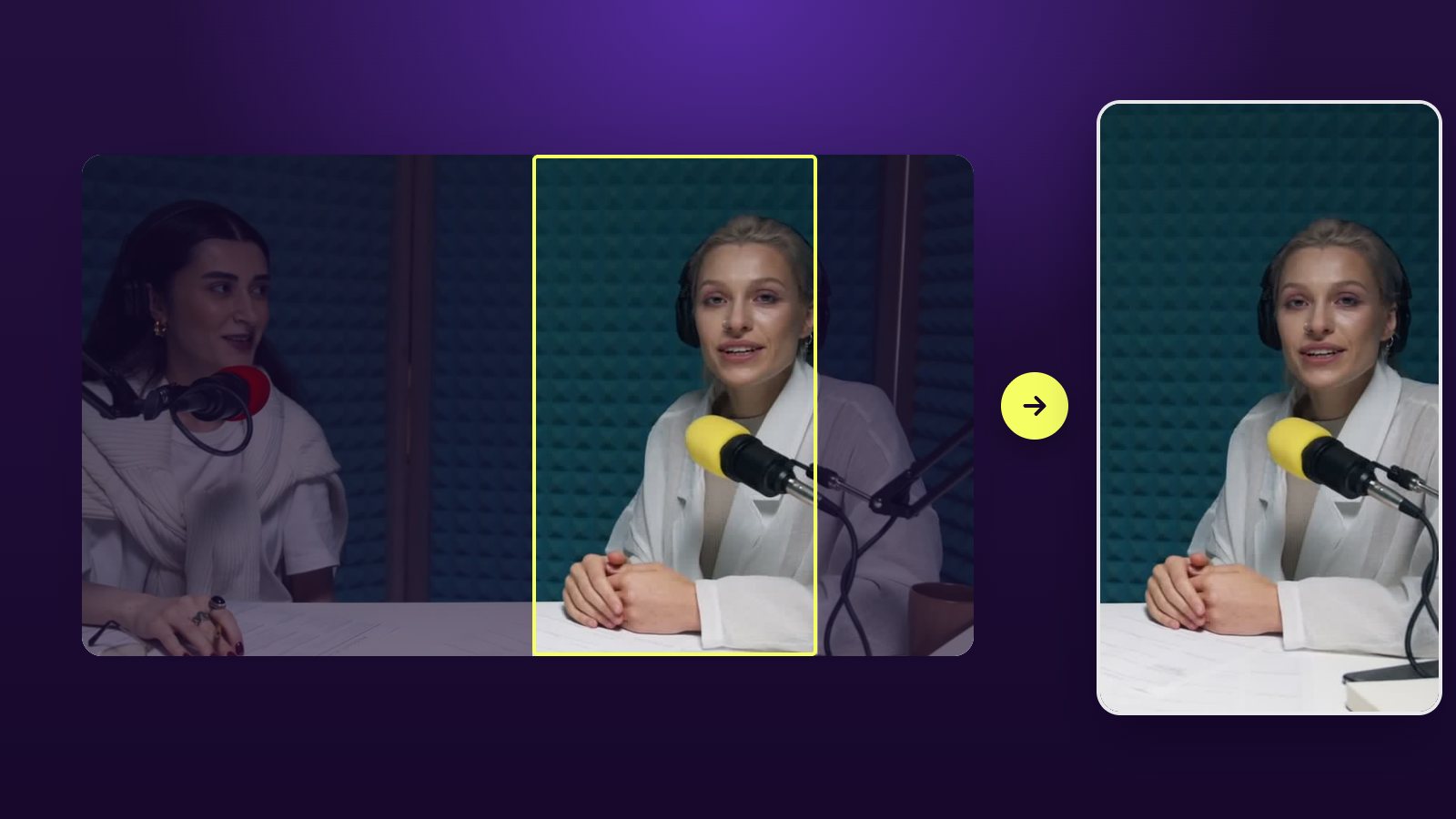
Horizontal video wastes two thirds of a phone screen. Reframe each clip to 9:16 and keep the speaker’s face in the upper half, where captions and platform buttons will not cover it. With two speakers, either cut between them or stack them in a split screen during fast exchanges.
Add captions before anything else
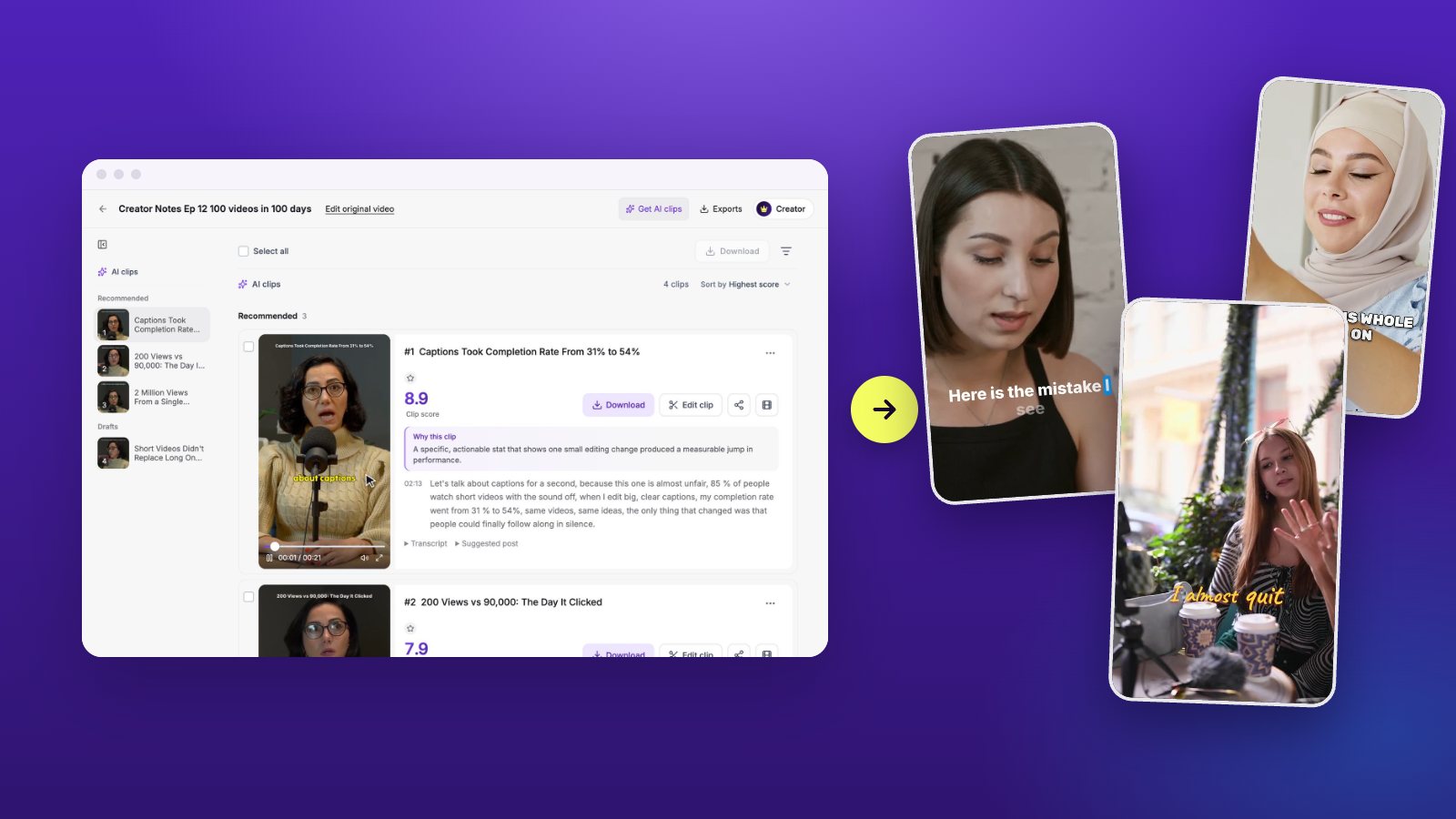
A large share of short video is watched without sound, so captions are part of the content, not decoration. Use big type, two lines at most, and highlight the word being spoken so the eye has something to follow. Check names and numbers by hand; they are where automatic transcripts slip.
How many clips should one video give you?
It depends on the recording, not on a quota. A dense one-hour interview can give ten to fifteen clips. A relaxed chat of the same length might hold four. Padding the list with weak moments costs you more than it gains: every weak clip you post teaches the feed that your account is skippable.
A useful rule is to sort clips into three piles. Post the strong ones as they are, fix the ones that only need a better start or end, and drop the rest without regret.
Let a video clipping tool do the first pass
This is the part AI is good at. In Vidoveli’s video to Shorts converter you paste a link to your video on YouTube, Google Drive or Dropbox, or a direct link to the MP4, MOV or WebM file, or you upload the file. The AI reads the transcript, proposes complete moments, and scores the ones it recommends. Each clip shows why it was picked, so reviewing ten clips takes a few minutes. You can then move the start or end of any clip word by word, restyle the captions, and export.
Whatever tool you use, keep the last decision for yourself. The AI can tell you that a moment is clear and self-contained. Only you know whether it is the point you want to be known for.
Mistakes that make clips fall flat
Most clips that underperform share one of a few problems, and all of them are quick to fix once you know to look.
- The clip needs context it does not include. Add the previous sentence or pick another moment.
- It holds two ideas. Split it; each half will do better alone.
- Captions sit on the speaker’s face or under the platform’s buttons.
- It trails off on “so, yeah”. End on the last complete sentence instead.
- The speaker is tiny in the frame. Reframe so the face fills the upper half.
A simple weekly routine
Record once, clip once, post all week. Block thirty minutes after each recording: review the suggested clips, fix the two or three best, and schedule the rest of your week. Consistency matters more than any single clip.