

Repurpose video into a week of posts
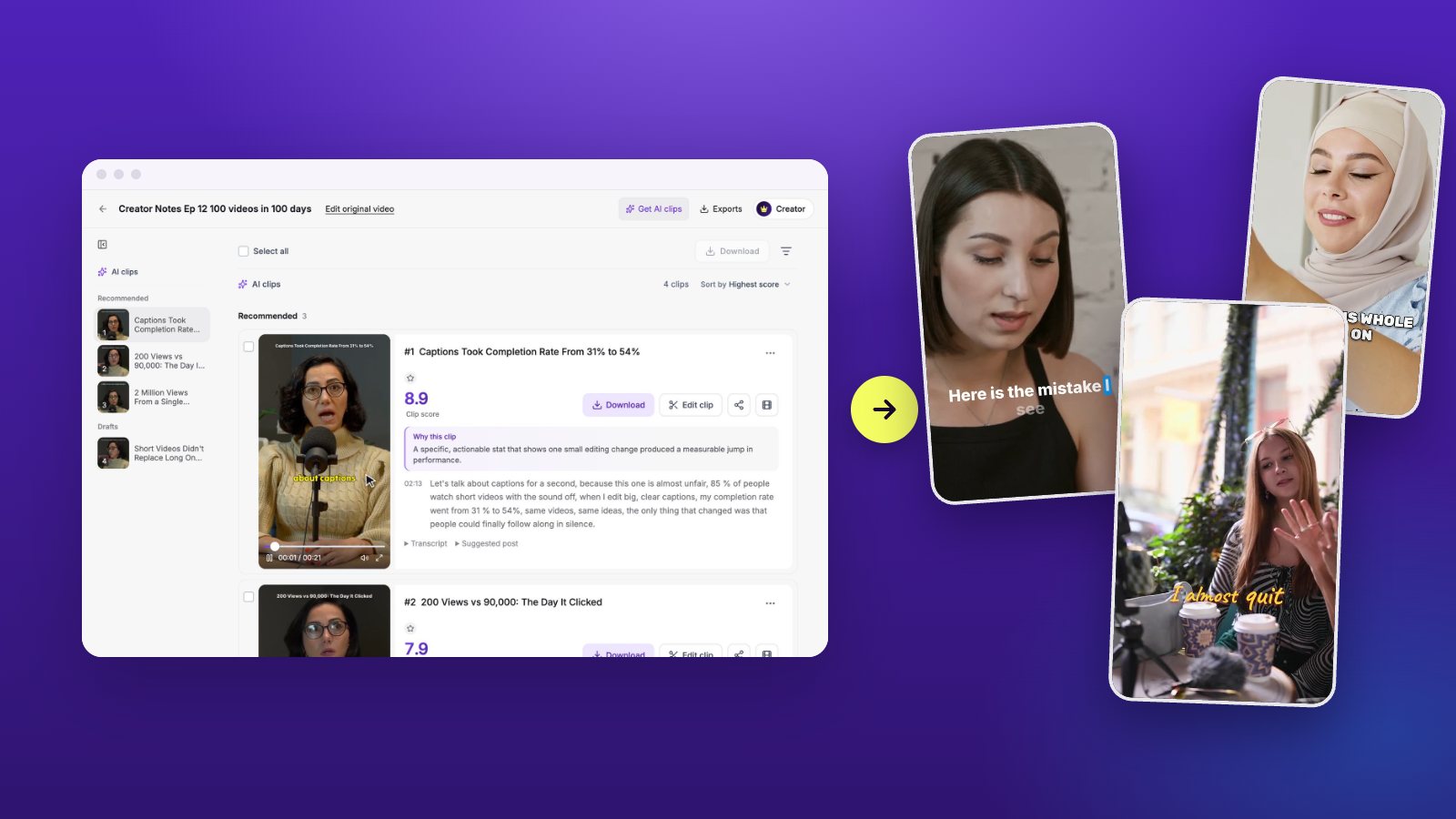
Bring in one long video. Vidoveli cuts it into captioned clips for every shape of feed, writes the text for each platform and lines the clips up on a content calendar, ready to post or download.
Links from YouTube, Google Drive™, Twitch and 9 more sites, or an upload · 15 free minutes to start
 1:02:14
Hiring your first five people9 recommended clips
This weekAuto-schedule · 2 a day · Mon–Fri
- Mon
 9:00
 17:30
- Tue
 9:00
 17:30
- Wed
 9:0017:30
- Thu9:0017:30
- Fri9:0017:30
YouTube and TikTok coming soon
Example: licensed stock footage, sample words and numbers.
What it is
What it means to repurpose video
To repurpose video is to get many posts out of one recording: an hour-long podcast, webinar or talk becomes short clips for Shorts, TikTok and Reels, a square clip for LinkedIn, a quote for X. The material is already recorded. What takes the time is cutting, captioning, resizing and posting it everywhere.
Vidoveli does the cutting: it finds the complete moments, scores the strongest and captions them. A click turns a clip into 9:16, 1:1, 4:5 or 16:9, and the AI writes the post text for each platform. Then the clips go on a content calendar: post one now, give it a time, or let Auto-schedule spread a project’s best clips over the coming days, so many a day, on the weekdays you choose.
Posting goes straight to Instagram, Facebook, LinkedIn and X, and YouTube and TikTok come next. It is part of Business and Creator from 600 credits a month; on every plan you can download the MP4s or share a link instead. The video to Shorts converter explains how the clips are found, and pricing shows which plan includes posting.
Straight to your accounts
Post to Instagram, Facebook, LinkedIn and X without downloading a file first.
Text written for each platform
The AI writes the post for each platform, or you start from the clip’s own suggestion.
Every shape from one clip
Switch between 9:16, 1:1, 4:5 and 16:9, and the speaker stays in frame.
The moments worth posting
The AI reads the whole recording and ranks the complete moments by score.
Posts in more than one language
Translate the captions to reach viewers who speak another language.
Tighter clips, free
Remove silence trims the pauses, so each clip keeps its pace.
Why it works
One recording, every feed covered
- 4Platforms to post to: Instagram, Facebook, LinkedIn and X
- 4Shapes from one clip: 9:16, 1:1, 4:5 and 16:9
- 50Clips one Auto-schedule run can spread over the days ahead
- 20Social accounts on Business (6 on Creator)
How it works
How to use the Repurpose Video
Bring in one long video
Paste a link to it on YouTube, Twitch, LinkedIn, Facebook, Google Drive, Dropbox or another supported site or a direct link to the file, or upload it.
Keep the clips worth posting
Clips arrive captioned, best first. Keep the ones you like and set each clip’s shape for the feed it is going to.
Fill the week
Run Auto-schedule, or put clips on the calendar yourself at the times you want. Or download the MP4s and post them your way.
Who it’s for
For people who post every week
Podcasters and YouTubers
Each new episode or video becomes a week of clips across the feeds you use.
Marketing teams
Webinars, product demos and customer interviews turned into a steady run of posts.
Coaches and consultants
One recorded session becomes advice clips for LinkedIn, Instagram and Facebook.
Agencies
A Business workspace connects up to 20 accounts and invites the team to share the work.
A weekly routine
Turn every recording into a week of posts
An hour a week is enough for most creators. Here is how to spend it.
- Start from the longest recordingA full episode or webinar holds more moments that stand alone than a short video does.
- Pick a few, not allFive strong clips a week beat twenty average ones. Post the recommended clips first.
- Shape each clip for its feed9:16 for Shorts, TikTok and Reels; 1:1 or 4:5 for LinkedIn and Facebook feeds.
- Keep a rhythmChoose the weekdays and hours you post on, and let Auto-schedule keep to them.
FAQ
Questions about the Repurpose Video
How do I repurpose a long video?
Bring it in by link or upload and let Vidoveli find the clips. Keep the ones you like, set the shape of each for where it will go, then post them from the calendar or download them as MP4 files. Our podcast to Shorts workflow shows the same routine week by week.
Which platforms can I post to?
Instagram, Facebook, LinkedIn and X, right away or at a time you set. YouTube and TikTok are coming next. On every plan you can also download the clips or share a link to them.
Which plans include posting?
Posting is part of Business and Creator from 600 credits a month. Creator connects up to 6 social accounts and Business up to 20. On Free and Creator’s $9.90 entry tier you download and share the clips instead.
What does Auto-schedule do?
It spreads a project’s clips over the coming days on the accounts you pick: so many a day, on the weekdays you choose, inside the hours you set, best clips first. Each post gets text written for its platform, or the clip’s own suggestion.
Does posting cost credits?
No. Finding the clips uses credits for the length of the video, one credit a minute, and the AI writes each post for 1 credit per clip and platform; posting itself is free. Free exports are 720p with a small watermark, and Creator and Business export in 1080p without it.
Keep going
Related tools and guides
Video to Shorts Converter
Turn any long video into short vertical clips for every feed.
See how it worksTikTok Clip Maker
Long videos and YouTube links cut into TikToks with captions.
See how it worksVideo to Reels Converter
Long videos turned into Instagram Reels with captions and B-roll.
See how it works
 Workflows
A podcast to Shorts workflow that takes about one hour a week
Turn each podcast episode into a week of short clips in about an hour: record, get AI clips, review, brand, export and post, with a checklist for every single step.
 Workflows
How to repurpose a webinar into short clips people actually watch
Turn one recorded webinar into a month of short clips for LinkedIn, YouTube Shorts and Reels: which moments to cut, how to keep slides readable and how to post.
 Guides
How to make YouTube Shorts from long videos: 3 ways
Three ways to turn long YouTube videos into Shorts: YouTube’s Edit into a Short, editing by hand and an AI clip maker, and what decides whether a Short helps you.

One recording.
A week of posts.
Bring in a long video and see the clips Vidoveli finds. No card needed.